Shutting down the BibleScholar Alexa application
Posted on Sun 01 March 2026 in Articles
I decided to shut down the BibleScholar application. (See other articles via the "biblescholar" tag)
Rationale
The first reason: cost. When I put this application together back in 2016, this cost about $5/mo to operate. But AWS shifted to a much more expensive model for public IPs and ELBs a few years ago. Since then I have been paying >$30/mo for this application, which I almost never use.
Here is the bill for last month.
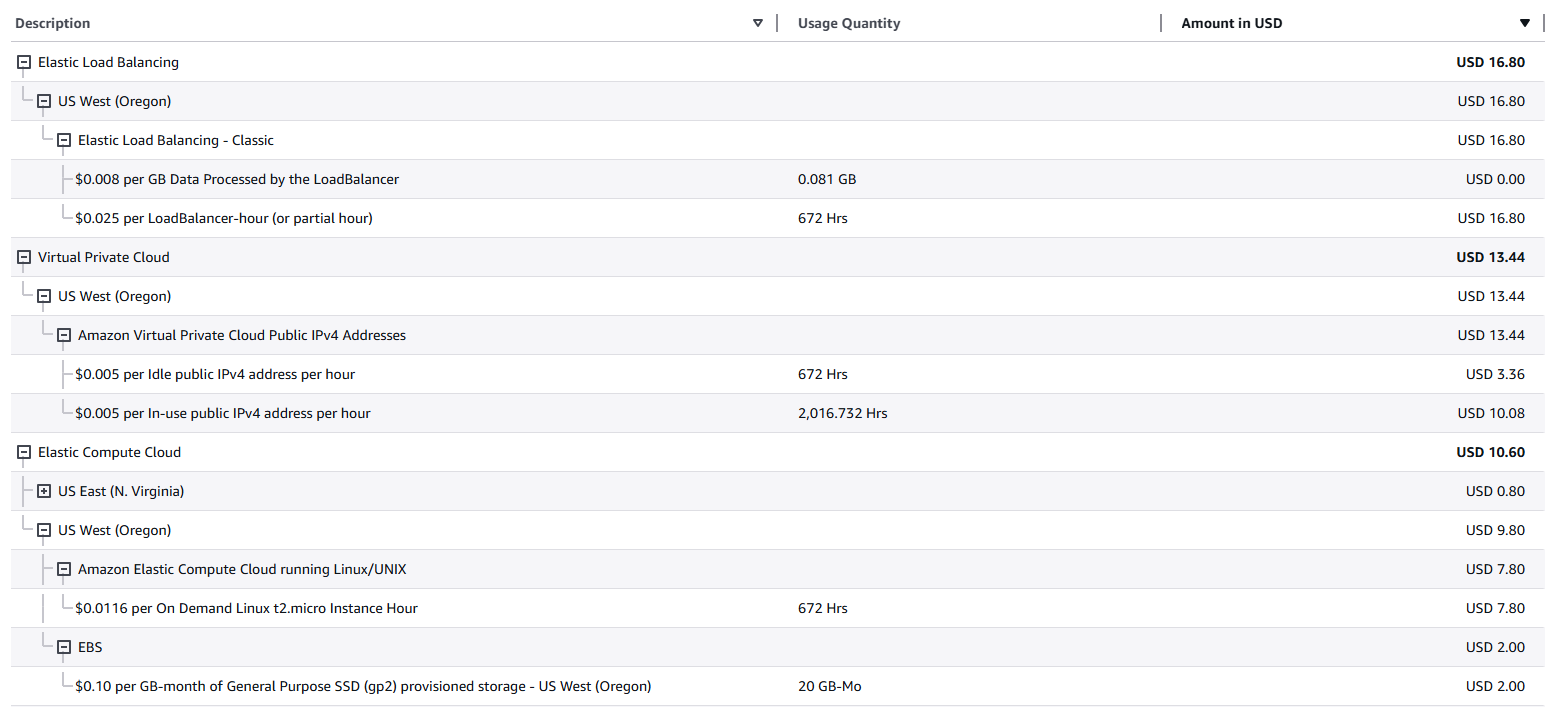
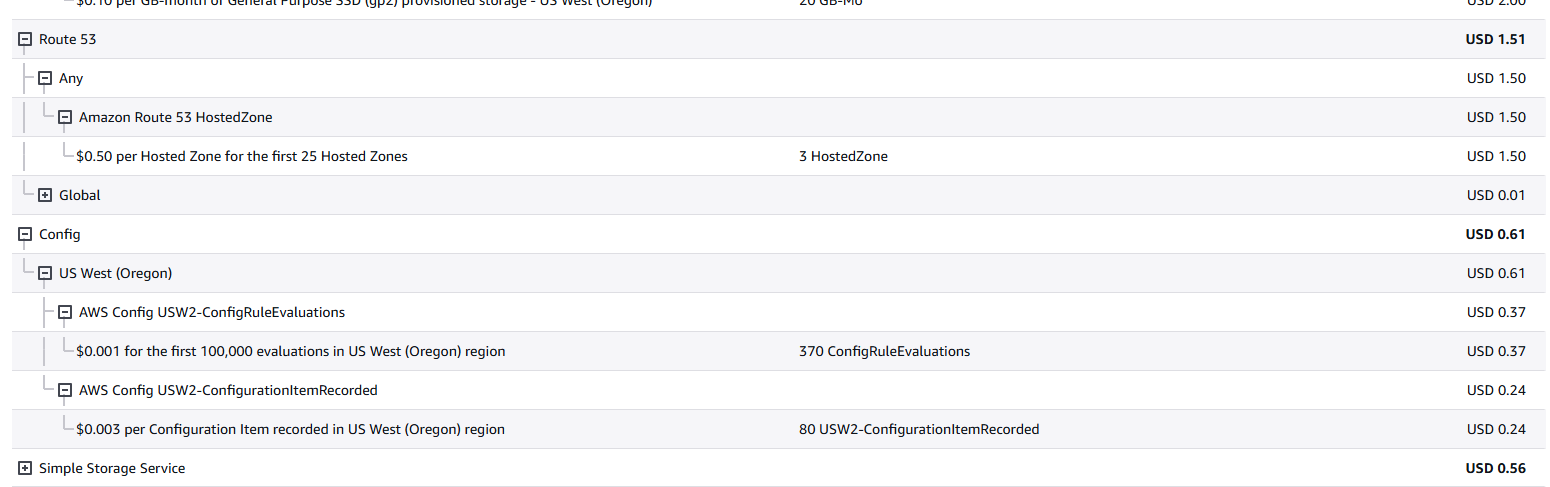
Oof. That's >$16 for an idle ELB, >$13 for an idle IPv4 address, and another $10 for the compute and local storage (EBS). Getting charged another $0.50 for the biblescholar.vhtech.com hosted zone, then $0.60 for config specific to ElasticBeanstalk is also not something I'm fond of. I have better things to do with $40/mo, thank you very much!
The second reason: obsolescence. With modern LLMs, this skill is no longer needed.
I thought for a while about moving the skill to an AWS Lambda Function, which would make it nearly free to operate, and that's part of the reason I dragged my feet for so long on making changes. But honestly this app has served its purpose, and it's time for retirement.
How
I started by getting access to AWS accounts. I launched this service a long time ago in a root account. It took a bit of fiddling to get access again.
Then I checked the billing section of AWS (see above). Yuck. At least it will be satisfying to fix.
Next I went to ElasticBeanstalk. I switched to the us-west-2 region (thankfully AWS billing is broken out by region - I forgot why I had launched the app there) and found my app.
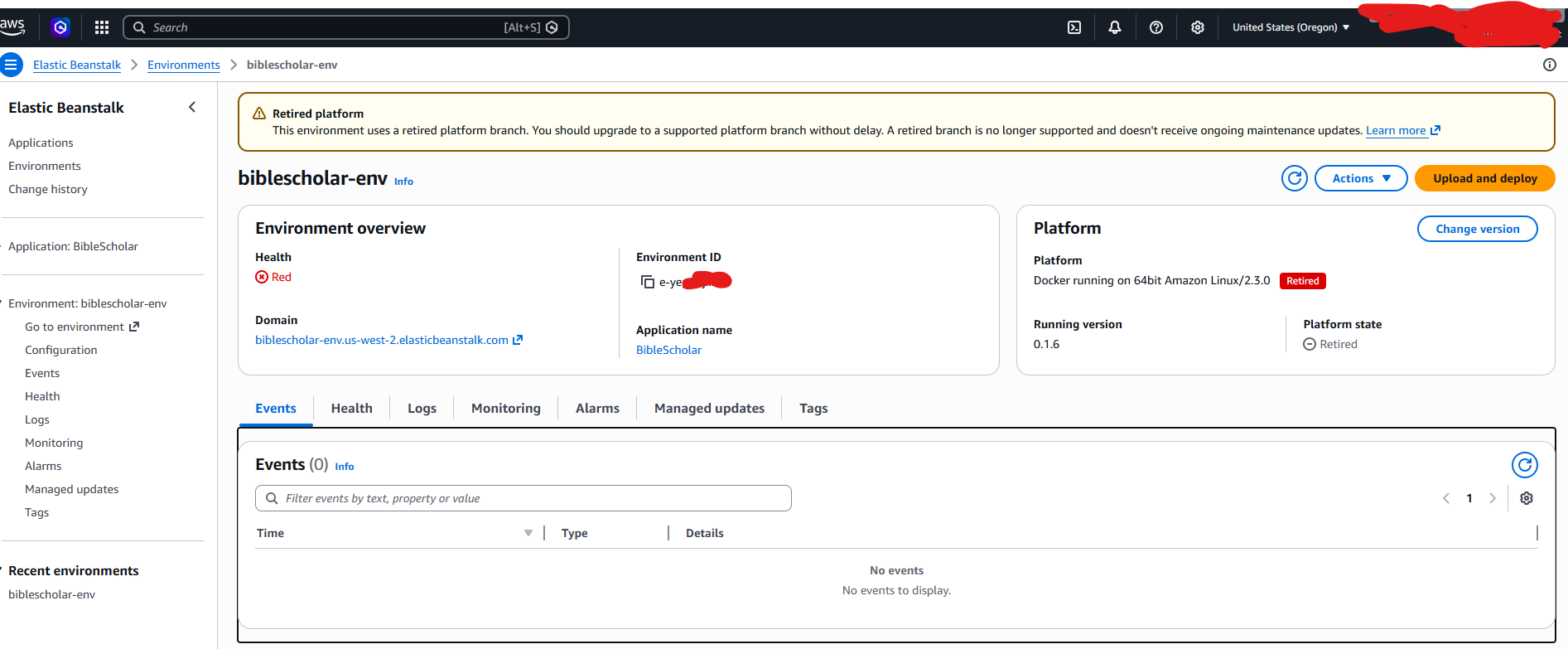
I'm on a very old version of the framework and AWS is not happy about this being up. I went to "Actions > Terminate Environment" and shut this down.
Next: route53. It turned out I had 2 hosted zones in there.
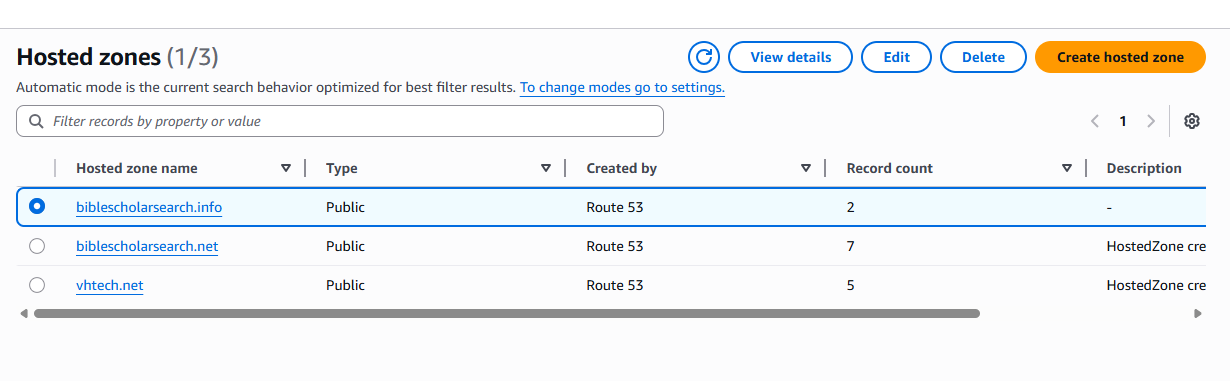
When I tried to delete, biblescholarsearch.info went smoothly, but I received an error about "non-required resource sets" for biblescholarsearch.net.
Checking it out, I saw I had a few email-related entries in there. I could delete everything but the NS and SOA records. Once everything but NS and SOA was deleted, I could delete the whole zone.
Next is VPC. I see a few resources there. The Elastic IP is the big one, but I'll aim to delete everything.
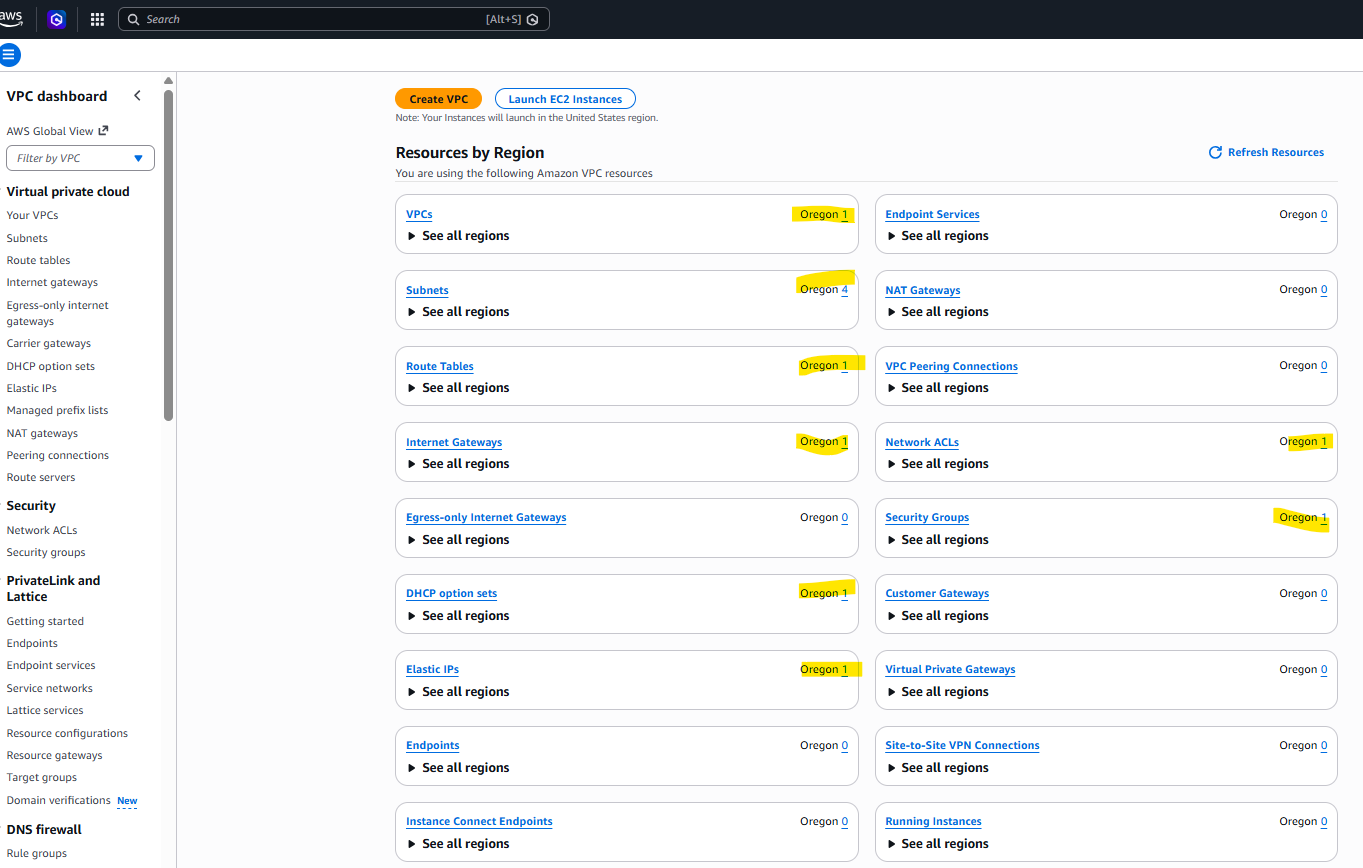
I did the following
- Elastic IP address > Release Elastic IP address
- VPC > Actions > Delete VPC
In both cases there was only 1 entry, so I was confident I was deleting the right thing.
When deleting the VPC, I was presented with this warning, which looks like a special warning for default VPCs.
Warning: If you delete this default VPC, you can't launch instances in this Region unless you specify a subnet in another VPC or create a new default VPC.
When I next come back to launching an app in us-west-2 (possibly never...?) I can tackle this. For now deleting the whole thing is easy.
I next checked AWS Config. I found some rules there. I had to delete these individually, and type "confirm" each time, which was a bit annoying.
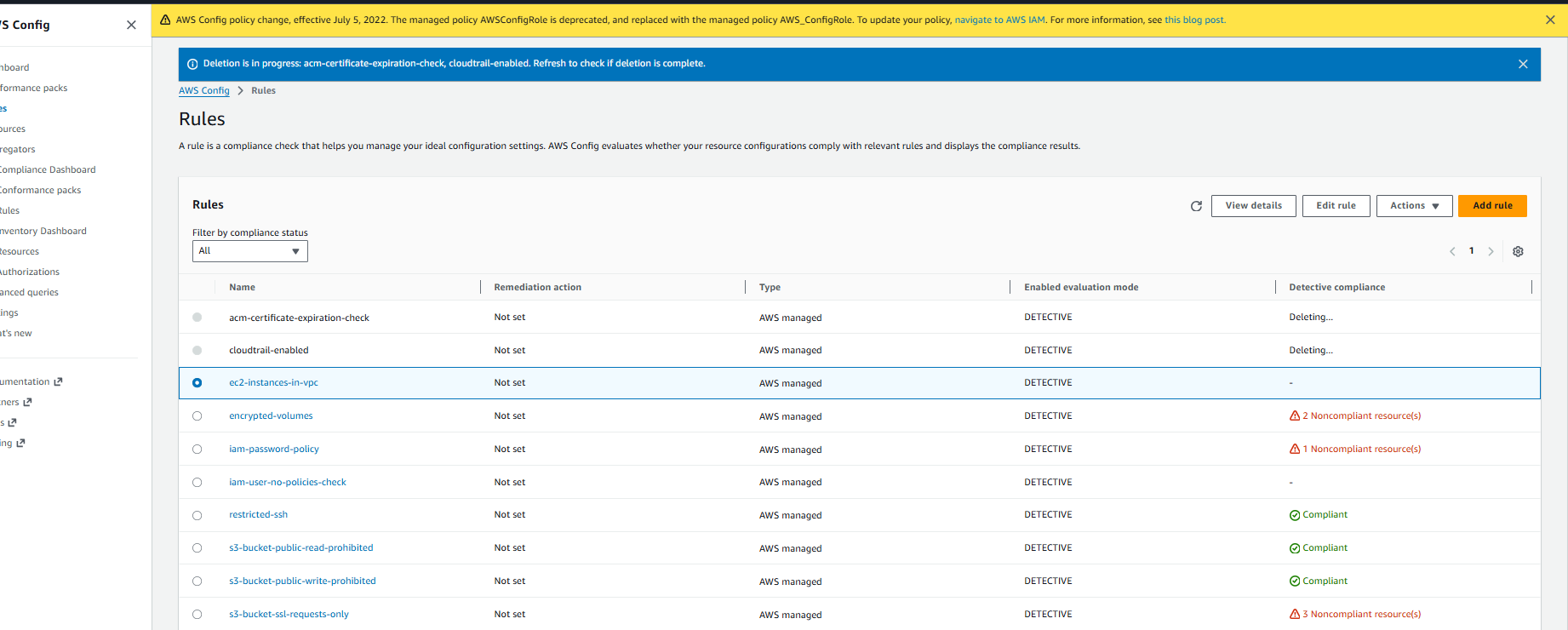
(I wasn't 100% sure this was the service I was being billed for so I also checked AWS App Config, which is part of Systems Manager, and didn't see anything.)
I also remembered to check the "AWS Certificate Manager", which I had used to set up for TLS certs. I think this service is free, but I did find 2 entries there, both for biblescholarsearch.net, and I deleted both.
For final checks (all in us-west-2) :
- I looked in "EC2 > Load balancers" and saw nothing listed, since ElasticBeanstalk cleaned up after itself.
- I looked in the EC2 dashboard and saw just 1 terminated instance. I selected "Terminate (delete) instance".
- Maybe ElasticBeanstalk was going to clean this up, but I didn't want it sitting around just in case.
- Checked "EC2 > EBS Volumes" and didn't see anything.
Last, I went to the Alexa dev console at https://developer.amazon.com/alexa/console/ask# and I chose to remove my "Bible Scholar" skill.
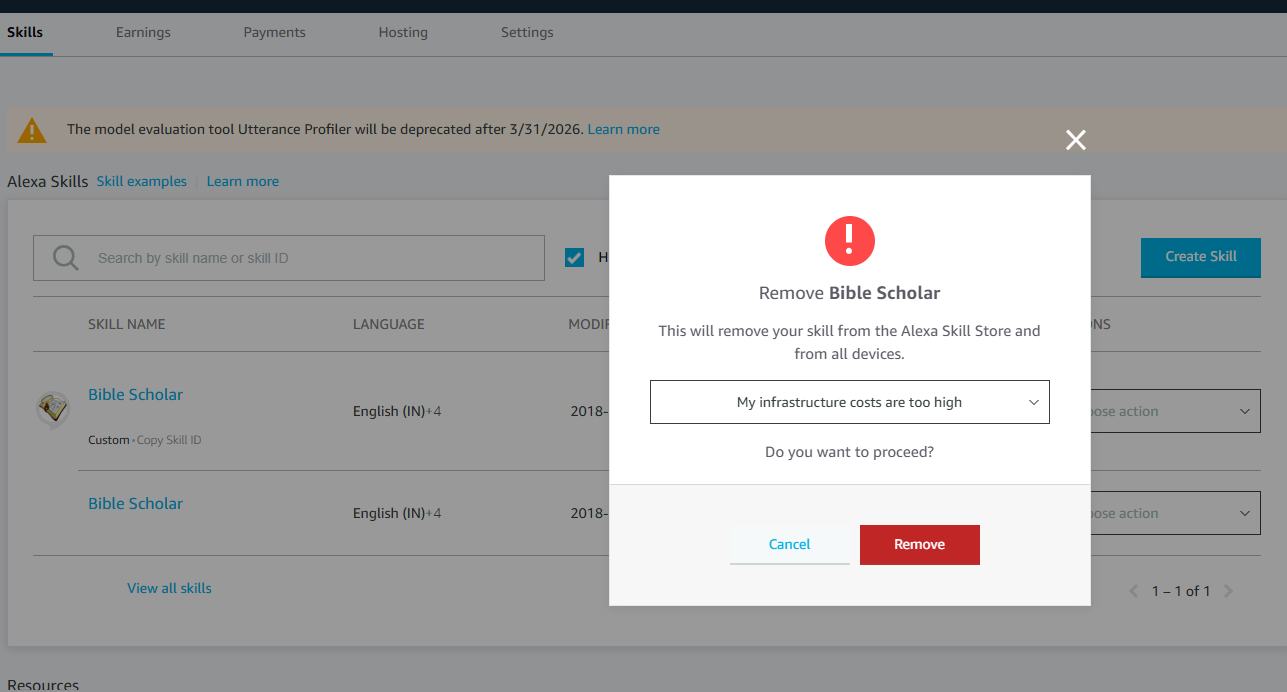
Once I clicked "Remove" I saw a new green banner message at the top of the page:
We’ve received your request to Remove amzn1.ask.skill.30c203ed-c0f7-432e-bcdb-23ee1ece38ab. Your skill will be removed within 2 hours.
Conclusion
Hopefully this works and my AWS bill drops down to <$5. I still do have a few other apps doing work, but all are very efficient serverless apps that are nearly free to operate.
A few lessons learned
- As I wrote before, ElasticBeanstalk sounded great, but as the supporting services (public IPs, AWS config, etc) get more expensive it rapidly grew in price.
- I wrote about this back in 2019 here: "Elastic Beanstalk for personal projects: a quick experience report"
- AWS subsidized this for a while when my app was somewhat popular. Even when the per-month price went >$20, I didn't pay anything for >1 year. But in time this caught up with me.
- I need to watch out for exposure to such price changes from platforms going forward.
- Just finding time to decommission an app can be hard.
- I have known this was costing me $$ for a few years, and yet it sat there, doing almost nothing.
- Today ripping out the whole app and writing this article took me about 2 hours.
- I'm thankful for a few features in AWS Billing.
- Granular reporting: This made it fairly easy for me to find what I am being charged for.
- AWS Billing alerts: This (+ a few emails from Amazon about price changes over the years) was how I was alerted that prices were going up in the first place!
- Deploying into a separate region was a good idea.
- Even with the details in billing, it would have been annoying to understand which services belonged to which app.
- Setting up per-app / per-account boundaries may be a good idea going forward, especially if I don't deploy the whole infra using something like Terraform. That way it's easy to remove everything by deleting a whole account.
- Re-hydrating old tech takes time.
- Just getting this blog up and running again took about 20 minutes. I was working on a new laptop, so I needed to set up Github, which meant creating a passkey with MFA, creating and registering SSH keys, cloning repos, setting up development environments, etc.
- I am thankful I didn't run into any issues (like deprecated python dependencies) and I am thankful I left good breadcrumbs for myself (i.e., documentation on how to set up the blog!)
I hope to have some good excuses to fiddle more with AWS tech going forward as I recently started a new role at Visa leading Product for some of our next generation ML Platforms. So the next blog may be a build report vs a tear down report.
UPDATE 2026/03/15 : Domain name
I saw a notification from AWS in my inbox today:
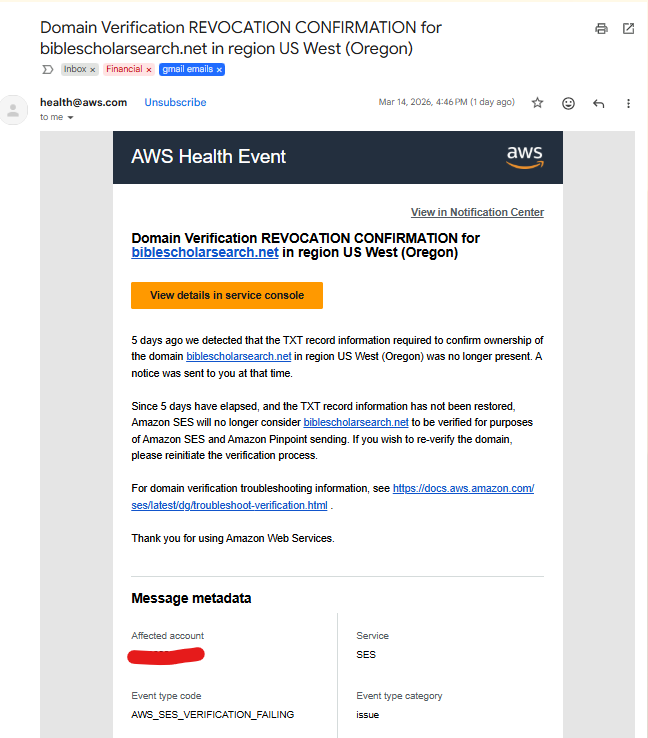
This prompted me to go and clear out my domain name.
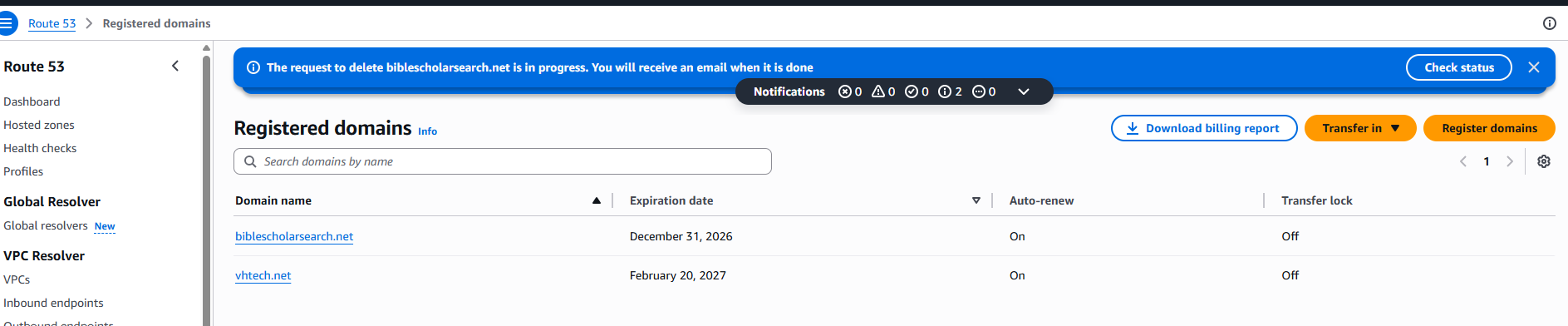
I clicked the "Download billing report" button and after selecting "Last 12 months" got a CSV that looked like this. I reformattted it below for readability.
InvoiceId   Operation       DomainName              Price   Date
            RENEW_DOMAIN    biblescholarsearch.net  17      2025-11-27T02:02:28.338Z
            RENEW_DOMAIN    vhtech.net              17      2026-01-16T17:15:26.882Z
From that I see that I have avoided another $17 charge next November by deleting now.